.png)


Connecting bet365 to Pikkit takes about 60 seconds. Once your bet365 account is linked through BookSync, every wager you've ever placed at bet365, plus every bet you place going forward, syncs into Pikkit automatically. Full bet history, settled results, the ROI and CLV (if you're a Pikkit Pro user) that runs on top of it. No spreadsheets, no manual entry.
This is the deep how-to for bet365 specifically. The same BookSync flow works at every supported sportsbook, but bet365 has a few quirks worth flagging up front: multi-state accounts, the way bet365 handles 2FA on new devices, and what to do if your sync silently stops after a password change. For the full picture of bet365 including offers, ongoing promos, supported features, check out the bet365 hub.
A few things to have ready before you tap into BookSync:
- Your bet365 username and password. Use the username you log in with directly at bet365.com, not your email address.
- Your 2FA method within reach. bet365 sends one-time codes via SMS to the phone number on file, or via the bet365 Authenticator app if you've enrolled it on your phone.
- The Pikkit app installed and signed in. Download Pikkit, verify your email, and open the app once before connecting any books.
- A minute of uninterrupted time. Backgrounding the Pikkit app mid-sync pauses the import.
Launch the Pikkit app. From the summary tab, tap the Summary tab, then find the (+) sign under Your Accounts.
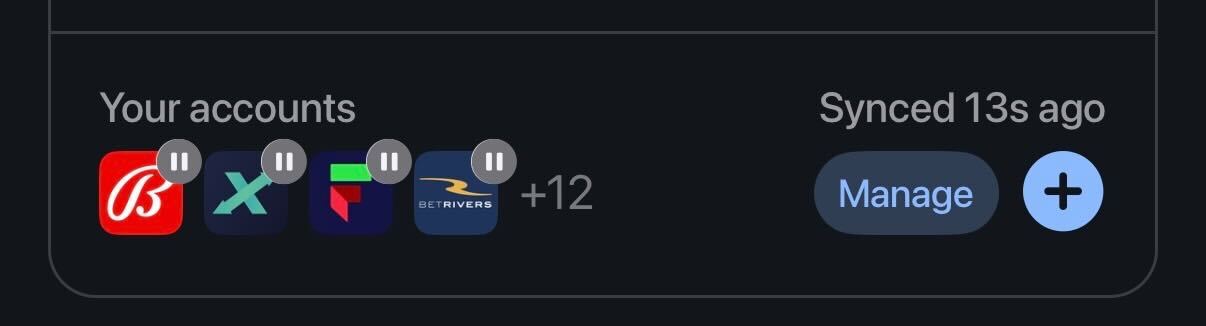
If bet365 is your first sportsbook, Pikkit will walk you through the BookSync step as a part of onboarding.
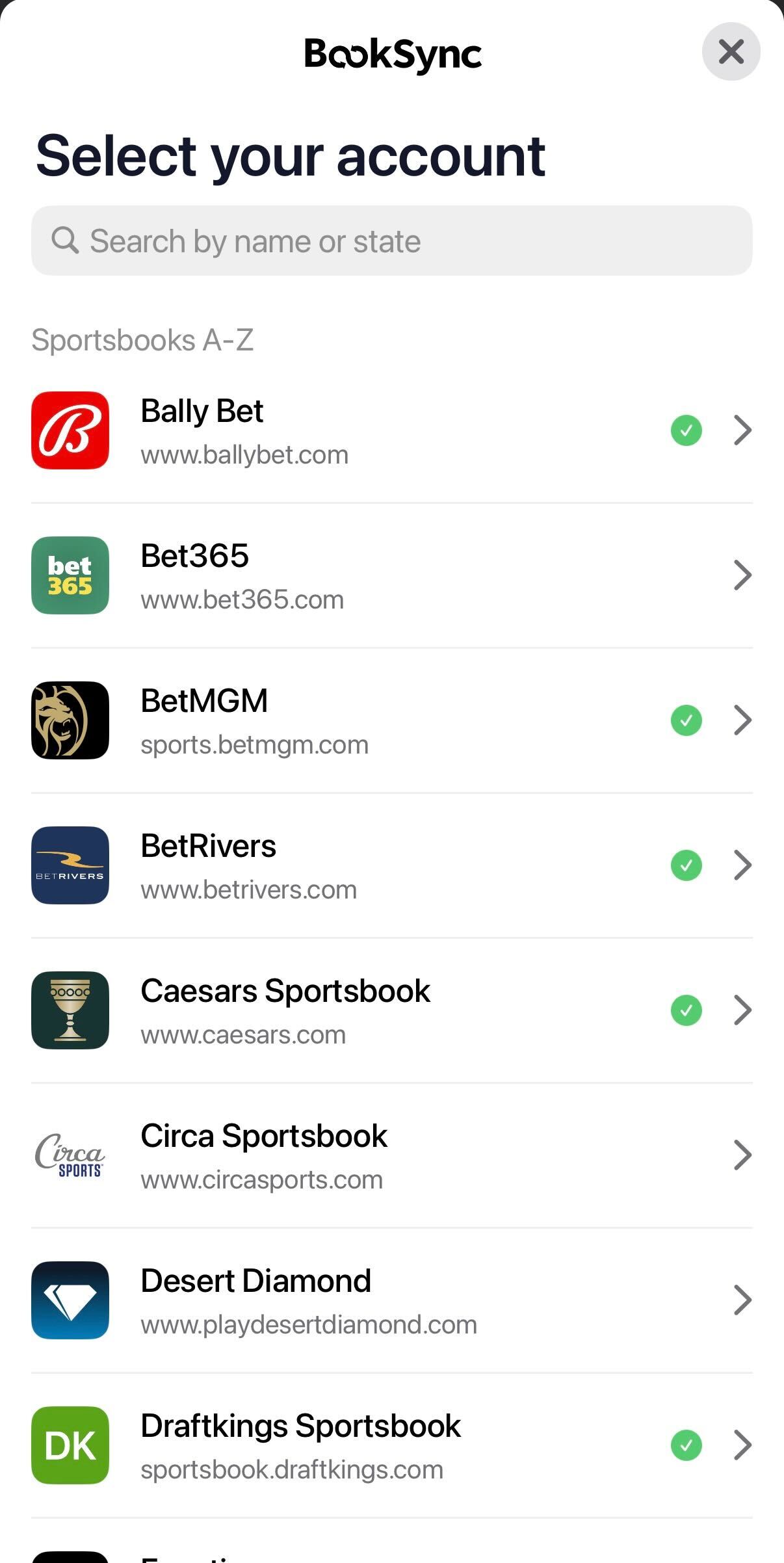
The BookSync screen that opens up shows every supported sportsbook, DFS app, and prediction market, organized into categories. bet365 lives in the Sportsbooks A-Z section. For the full list of integrations, see the supported sportsbooks page.
Scroll to bet365 or type "bet365" into the search bar at the top of the BookSync screen. Tap the bet365 tile to open the connection flow.
You'll see a short explanation of what's being authorized: read-only access to your bet365 bet history. Tap continue when you're ready to enter credentials.
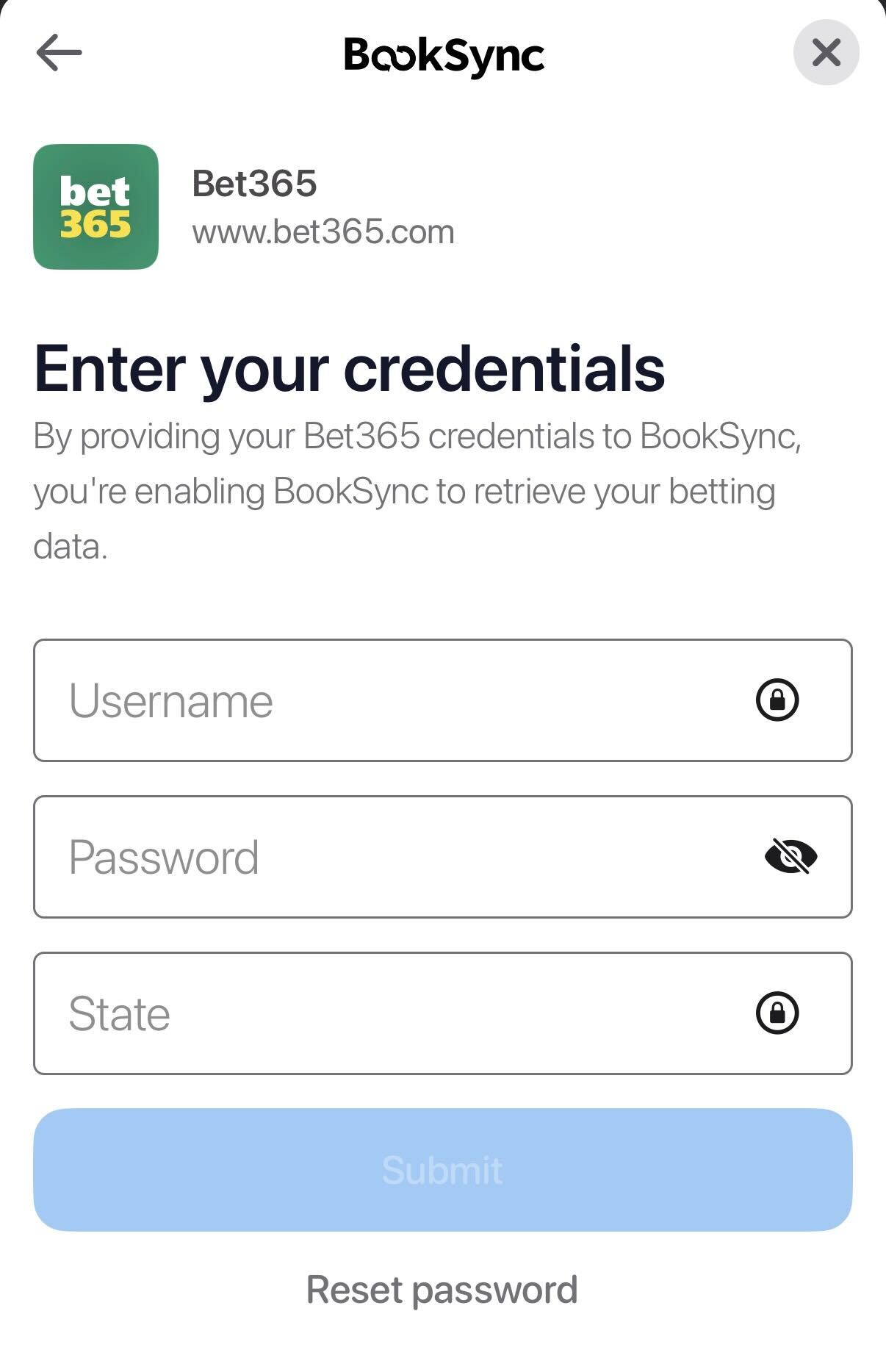
Enter the username and password you use at bet365 directly. A few things to know about the bet365 login specifically:
- Use your username, not your email. bet365's login field accepts the username only. The email field exists for account recovery.
- Capitalization matters. Phone keyboards often auto-capitalize the first character of a password, which trips bet365 authentication. Toggle the show-password eye to confirm what you've typed before submitting.
- One account covers every legal state. bet365 operates on a one-account-per-customer model. The same login works in every US state where bet365 is licensed, with geolocation deciding which state's product you can use each session.
- Account in good standing matters. If bet365 has flagged your account (KYC re-verification, deposit limits, geolocation block, or self-exclusion), the credentials will authenticate but the bet history sync may return partial or no results. Resolve the bet365-side issue first.
bet365 sends a one-time code by SMS to the phone number on file whenever a new device tries to sign in. Pikkit will present a field for the code: open your text messages, copy the code, paste it into Pikkit, and confirm.
If you use authenticator-app 2FA at bet365 instead, the same flow applies. Pull the code from your authenticator app, paste it into Pikkit, and confirm.
You only complete 2FA once per device. After that, Pikkit refreshes your bet365 history in the background without prompting again, unless bet365 invalidates the session (more on that in troubleshooting).
After authentication, BookSync pulls your full bet365 history into Pikkit. For an account with a couple hundred settled bets, the import takes about 30 seconds. Accounts with thousands of historical bets, the kind of volume long-tenured bet365 users carry, can take a few minutes.
Keep the Pikkit app open and on the BookSync screen while the import runs. Backgrounding the app pauses the sync; reopening Pikkit resumes it.
When the import finishes, you'll see a summary with the number of bets pulled in, your overall ROI, win rate, and stake by sport. Your bet365 line in the Pikkit bet tracker populates with everything bet365 has on record for your account.
Once the initial import finishes, bet365 stays connected and the tracker maintains itself. Three things to know about the steady state:
- New bets sync when you open Pikkit or pull to refresh. Place a wager at bet365, open the Pikkit app, and the new bet lands in your tracker within a few seconds. If a bet doesn't appear after a manual refresh, your session may have expired (see troubleshooting).
- Settled results update automatically. Wins, losses, pushes, voids, partial cashouts, and Early Payout settlements all populate correctly the next time Pikkit syncs.
- Your performance numbers recalculate alongside every other synced book. ROI, win rate, stake-by-sport, and bet-type splits update so you can see how bet365 stacks up against your other sportsbooks. On Pikkit Pro, CLV tracking on every bet365 wager runs in the same background process.
- Your bet365 balance shows up in Pikkit. See your bet365 balance next to every other synced book, so you know your total across all of them. It's read-only, so you can't move or change it from Pikkit.
bet365 operates on a one-account-per-customer model. The same login works in every US state where bet365 is licensed, with geolocation verifying your location each session. If you opened your account in New Jersey and you bet in Pennsylvania on work trips, every settled bet from either state syncs under a single bet365 line in Pikkit. No second connection is needed. Your balance follows you between states, though verification requirements can differ by state and may need to be completed once per new state.
If bet365 has flagged your account as dormant, restricted you (deposit limits, geolocation block, or a KYC re-verification request), or you’ve self-excluded, BookSync will still authenticate but the bet history sync may return partial or no results. Resolve the bet365-side restriction first, then trigger a fresh sync in Pikkit via Settings → BookSync → bet365 → Refresh.
Every bet placed under your bet365 account, whether through the app, mobile site, or desktop site, settles against the same underlying account. There's no separate "app history" vs "web history" to worry about. BookSync pulls the canonical record.
Check for autocorrect capitalizing the first character of the password. Confirm you're using your bet365 username, not your email address. If both are right, log into bet365.com directly in a browser to confirm the password works there, then retry BookSync. If bet365 flagged the login as suspicious, the bet365 side may have temporarily locked the account; wait an hour and try again.
bet365 sends 2FA via SMS to the phone number on file. If your phone number has changed and you haven't updated it with bet365, the code goes to the old number. Update the number with bet365 directly (Account → Personal Details), then retry the connection from Pikkit.
Confirm your bet365 account actually has settled bets. Pending wagers don't sync until they settle. If your account has settled bets but Pikkit still shows zero, force-close Pikkit, reopen it, then go to BookSync → bet365 → Refresh.
New bets sync when you open Pikkit or pull down to refresh. If a new bet365 bet doesn't appear after a manual refresh, your session may have expired. Go to Settings → BookSync → bet365 and re-authenticate. The session refresh takes the same ~60 seconds as the initial connection.
Two common causes: you changed your bet365 password (which invalidates third-party sessions), or bet365's security flagged the connection during a routine review. Re-enter your credentials in Pikkit. If you're seeing repeated disconnects, contact Pikkit support through Settings → Help Center so we can flag it with the integration team.
Bet365 is free for users in the United States but is in the paid Pikkit Pro tier for Canadian users.
No. BookSync uses read-only access. Pikkit cannot place wagers, deposit funds, withdraw funds, or change any settings on your bet365 account. The connection only reads your bet history.
About 30 seconds for accounts with a few hundred settled bets. Longer-tenured accounts with thousands of bets can take several minutes. Keep the Pikkit app open during the import.
Yes. The initial sync pulls in your entire bet365 history, not just bets placed after the connection date. Multi-year histories work the same way; they just take longer to import.
Disconnecting stops new bet syncing from bet365, but every historical bet that was already imported stays in your Pikkit tracker permanently. You can reconnect bet365 anytime through Settings → BookSync.
Yes. bet365's standing Early Payout settles your moneyline bet as a win the moment your team builds the qualifying lead: 20 points in the NBA, 18 in NCAAB, 17 in the NFL and NCAAF, 3 goals in the NHL, 5 runs in MLB, or 2 goals in soccer. Whenever the bet auto-cashes through Early Payout, bet365 books it as a win and BookSync records it as a win in Pikkit. Your tracked ROI matches the dollars actually credited to your bet365 balance. For the full breakdown, see our bet365 Early Payout guide.
Once bet365 is connected, you stop guessing whether your bet365 ROI is better or worse than you think and start seeing the actual number, updated as each bet settles. Download Pikkit and connect bet365 in about 60 seconds. For everything else bet365-related, including the current promo code, ongoing offers, and supported features, head to the bet365 hub.

