Pikkit Calendar: Every Day of Your Betting Month, in Green and Red
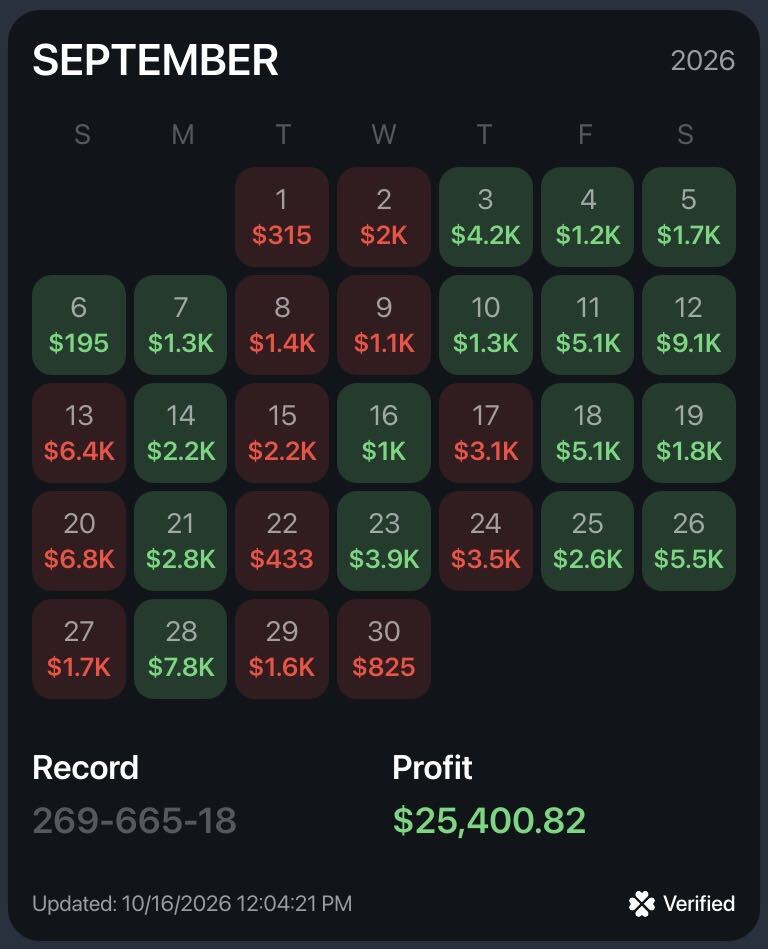
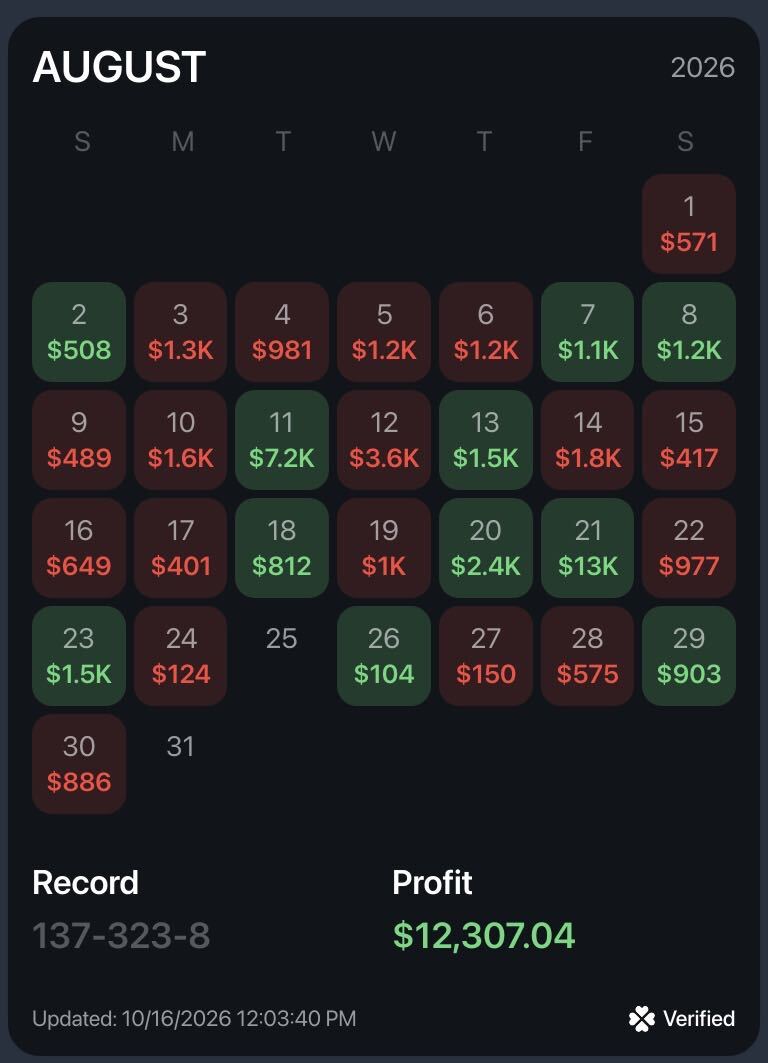
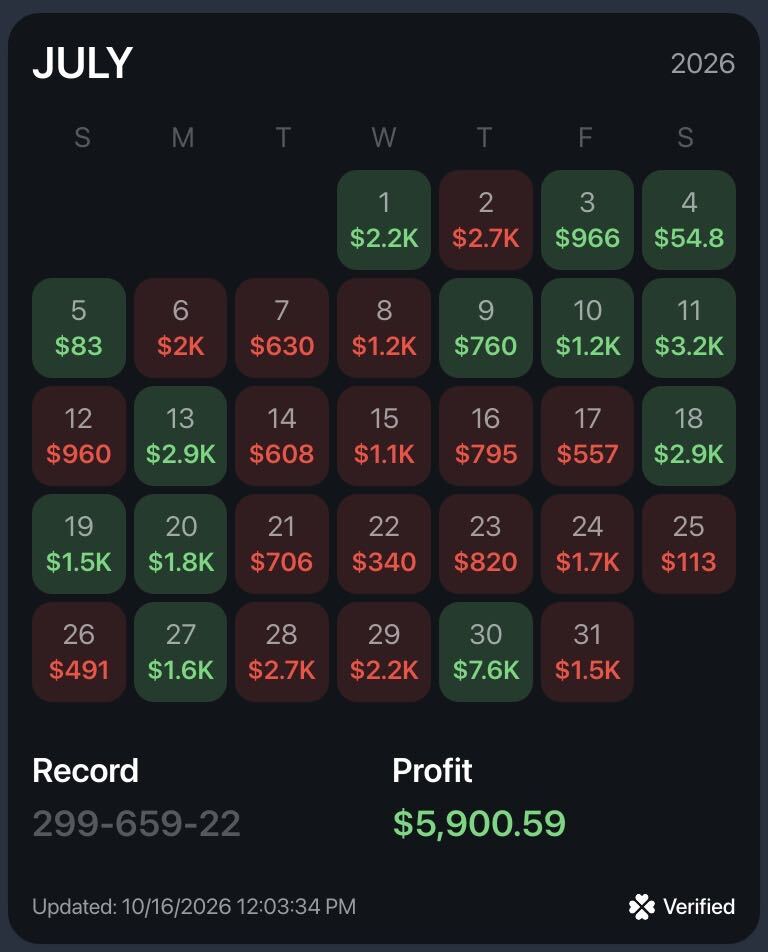
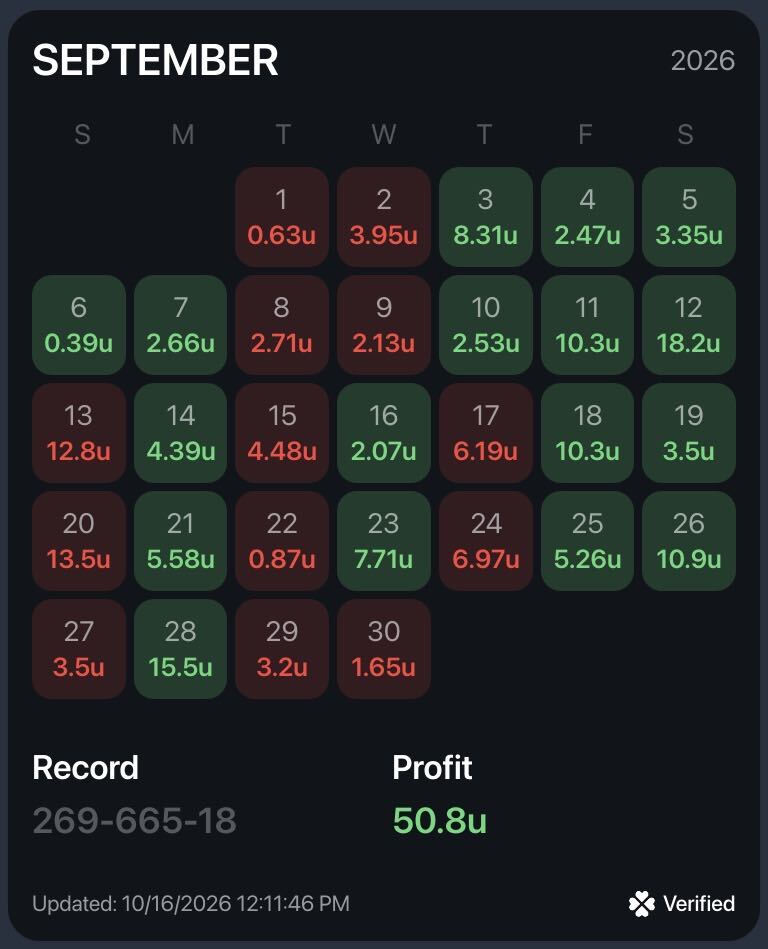
Pikkit Calendar shows your profit or loss for every day of the month on one screen. Green days you won, red days you lost, and your monthly total sits right at the top.
It fills in automatically from the bets you place at your synced sportsbooks, so there's nothing to log. It's free, and it works the same on the free plan and Pikkit Pro.
Trusted by 200,000+ bettors across 30+ sportsbooks
Your Whole Month on One Screen
One look at your Pikkit Calendar tells you how your month really went. No adding up bet slips, no guessing which weekend sank you.
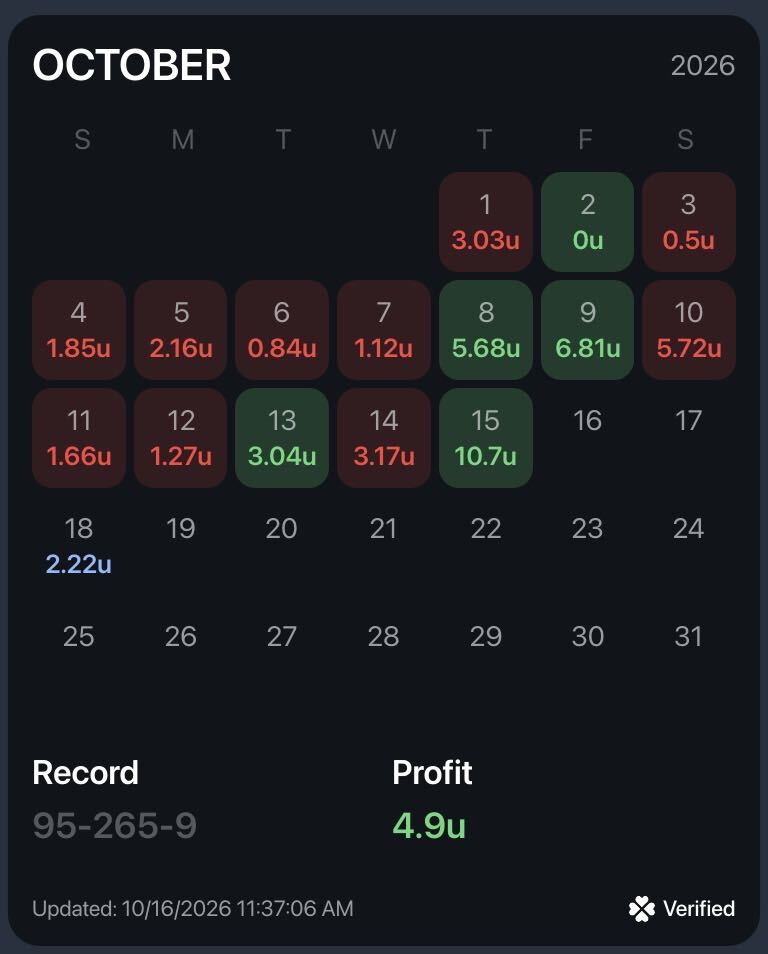
What's on it: - Every day's profit or loss, in green or red - Your net result for the month, right next to the month name - Blue days for outstanding bets that haven't settled yet - Money, units, or percentage, switched with one tap - Your entire Pikkit history, one month at a time
Tap any day to see every bet behind that day's number.
How Pikkit Calendar Works
Built From Your Synced Bets
Sync your sportsbooks to Pikkit through BookSync and your Calendar fills in on its own. Every bet syncs from your sportsbooks, so every number on the calendar is real. Bets count on the day they settle, and you can go back through your entire Pikkit history.
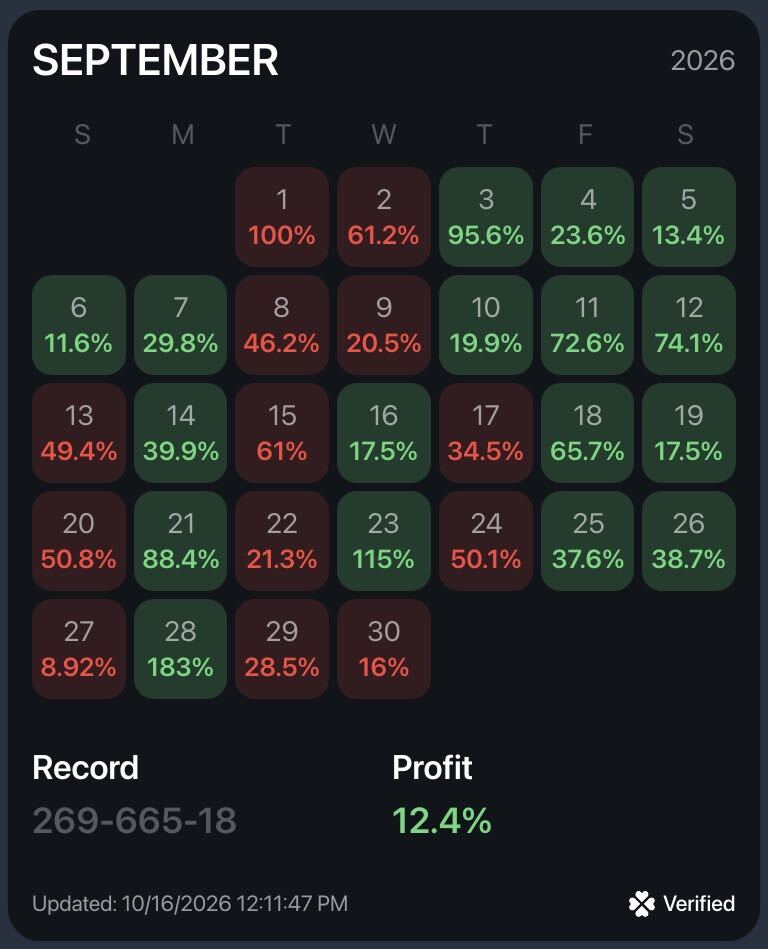
Money, Units, or Percentage
Tap the $ button to switch every day between money, units, and percentage. See your month the way you size your bets, whether that's $50 a game or 1 unit a play.
Standard or Progressive View
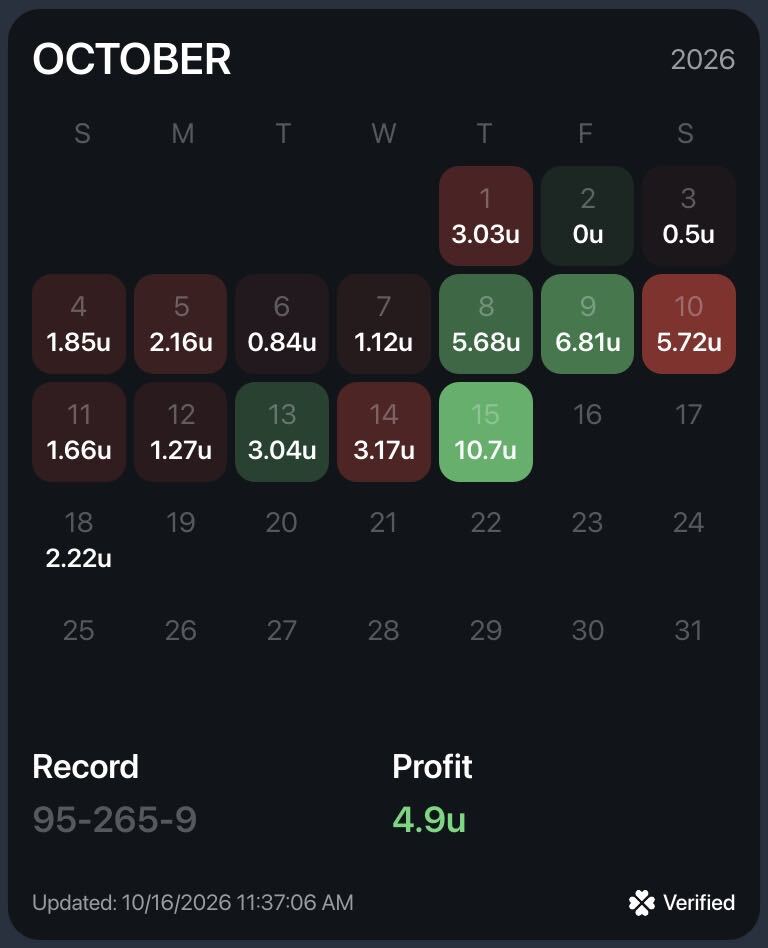
The standard calendar colors every winning day the same green and every losing day the same red. Switch to progressive, and each day's shade scales with the size of the result. A 10-unit day glows bright green, a big loss turns deep red, and a near-even day barely shows color. Your biggest swings jump off the screen.
Outstanding Bets on Upcoming Days
Bets that haven't settled yet show in blue on the day they're set to settle. You can see what's still riding before the games are played, then watch each day turn green or red as your bets settle.
Pikkit Calendar vs. a Spreadsheet
A spreadsheet can show your month too, but every bet has to be typed in by hand, one missed bet throws the whole month off, and a screenshot of it proves nothing. Pikkit Calendar fills itself in from every sportsbook you sync through BookSync, shows the whole month in green and red, and shares with a Verified badge. Free, on your phone.
Share Your Month on the 1st
On the first of every month, bettors post their Pikkit Calendar to show how the month went. Tap share, and Pikkit turns your month into a clean card with your name and handle, every day of the month in the view you have on, your record, your total profit, and a Verified badge. Anyone can post a spreadsheet screenshot. A Pikkit Calendar comes from bets synced straight from the sportsbook, so the bettors who follow you know the results are real.
Want to dig into a month? Tap the Pikkit AI button and ask direct questions about your calendar in plain English. Ask why the 10th went so badly, which days you bet too much, or what your best stretch of the month had in common.
How to Find and Share Your Pikkit Calendar
1. Sync your sportsbooks. Open Pikkit and sync the books you bet with through BookSync. 2. Open your Calendar. Tap Summary, then Calendar, or open it from the side menu. 3. Read your month. Green days are wins, red days are losses, blue days have outstanding bets, and your total sits at the top. 4. Tap any day to see every bet behind that day's number. 5. Ask Pikkit AI about your month with the Pikkit AI button at the top. 6. Go back to any past month in your Pikkit history. 7. Tap the share button to create your Calendar card and post it.
Want more than day by day? Slice the same results by league, sportsbook, tag, or season in Pikkit Performance Center.
Frequently Asked Questions
Is Pikkit Calendar free? Yes. Pikkit Calendar is free, and it works the same on the free plan and Pikkit Pro.
Which sportsbooks does it work with? Pikkit syncs with 30+ sportsbooks, including DraftKings, FanDuel, BetMGM, Caesars, bet365, and Fanatics, through BookSync.
Do I have to enter my bets? No, Pikkit does not support manual bet entry. Every bet syncs from your sportsbooks through BookSync, so all stats are verified.
Which day does a bet count on? A bet counts on the day it settles, so a Sunday bet that settles Monday night shows up on Monday. Until then, it shows in blue as an outstanding bet.
Can I keep my Calendar private? Yes, you can hide bets on Pikkit. You can hide bets by league, bet type, date, amount, or futures, keep open bets private, or hide a single bet. You can also make your whole profile private. Your full bet history always stays visible to you.
Is my sportsbook account safe? Yes. BookSync is read-only. Pikkit can see your bets and balance, but it can't place bets, move funds, or change anything in your account. Your login is encrypted, and your data is never sold.
See Your Month. Share Your Month.
Download Pikkit, sync your sportsbooks, and your Calendar fills itself in.
.png)