.png)


Syncing Novig to Pikkit takes about a minute. Once synced, every trade you place on Novig imports into your Pikkit bet tracker automatically. Settled or still open, it shows up in your account. No spreadsheets, no logging positions by hand, no guessing how your prediction market account is actually performing next to your sportsbook accounts.
This guide covers the setup, what gets imported, the edge cases specific to a prediction market account, and the issues that come up most often. If you have not signed up for Novig yet, the Novig offers page has the current promo and the full terms.
BookSync is Pikkit's direct integration that pulls trade history out of your Novig account and into Pikkit's bet tracker. It runs read-only. Pikkit reads trades that already exist on your account but cannot place trades, move funds, or change anything on Novig's side.
Once Novig is synced, three things happen automatically:
Full trade history imports. Every matched trade on your Novig account, settled or still open, lands in Pikkit the first time the sync runs.
New trades sync on app open. Place a trade on Novig, open Pikkit, and it appears. If it does not, pull-to-refresh forces the sync.
Settlements and matched orders update on their own. When Novig settles a market or matches a pending order, Pikkit picks it up on the next sync.
Novig is a peer-to-peer prediction market exchange, not a traditional sportsbook. That changes the mechanics of every position you take.
At a sportsbook, you bet against the house. The book sets the odds, takes the other side of your wager, and builds a margin into the price. That margin is the vig, and it is why a coin-flip market is priced around -110 on both sides instead of +100.
On Novig you trade against other users. You can back an outcome, meaning you trade on it happening, or lay an outcome, meaning you take the other side and trade on it not happening. You either accept a price another user has posted or post your own and wait for someone to match it.
Because Novig is not holding the other side of your trade, it does not build a house margin into the price. It charges a commission on net winnings instead. In August 2026 Novig relaunched as a federally regulated exchange after winning approval from the Commodity Futures Trading Commission, which is what lets it operate in roughly 47 states plus Washington DC rather than state by state. Our explainer on Novig going nationwide covers what that changed.
None of that changes how BookSync treats your account. Pikkit reads whatever trade history Novig has on file, the same way it reads bet history from any synced sportsbook.
A short checklist before you sync anything.
Pikkit installed. BookSync runs through the Pikkit mobile app on iOS and Android. If you do not have it yet, download Pikkit.
A verified Pikkit account. Sign up with your email and confirm the address.
Your Novig login. The same credentials you use to sign into the Novig app or website.
Verification completed on Novig. As a CFTC-regulated exchange, Novig requires identity verification before you can trade. Expect to provide your name, address, date of birth, and the last four digits of your Social Security number, similar to opening a brokerage account. Complete that on Novig's side first if you have not.
A minute of attention. The sync step takes under a minute, plus initial history import time.
Launch the Pikkit app. New users see a BookSync onboarding card automatically. Existing users can find it under the Summary tab, in the "Your accounts" section near the top.
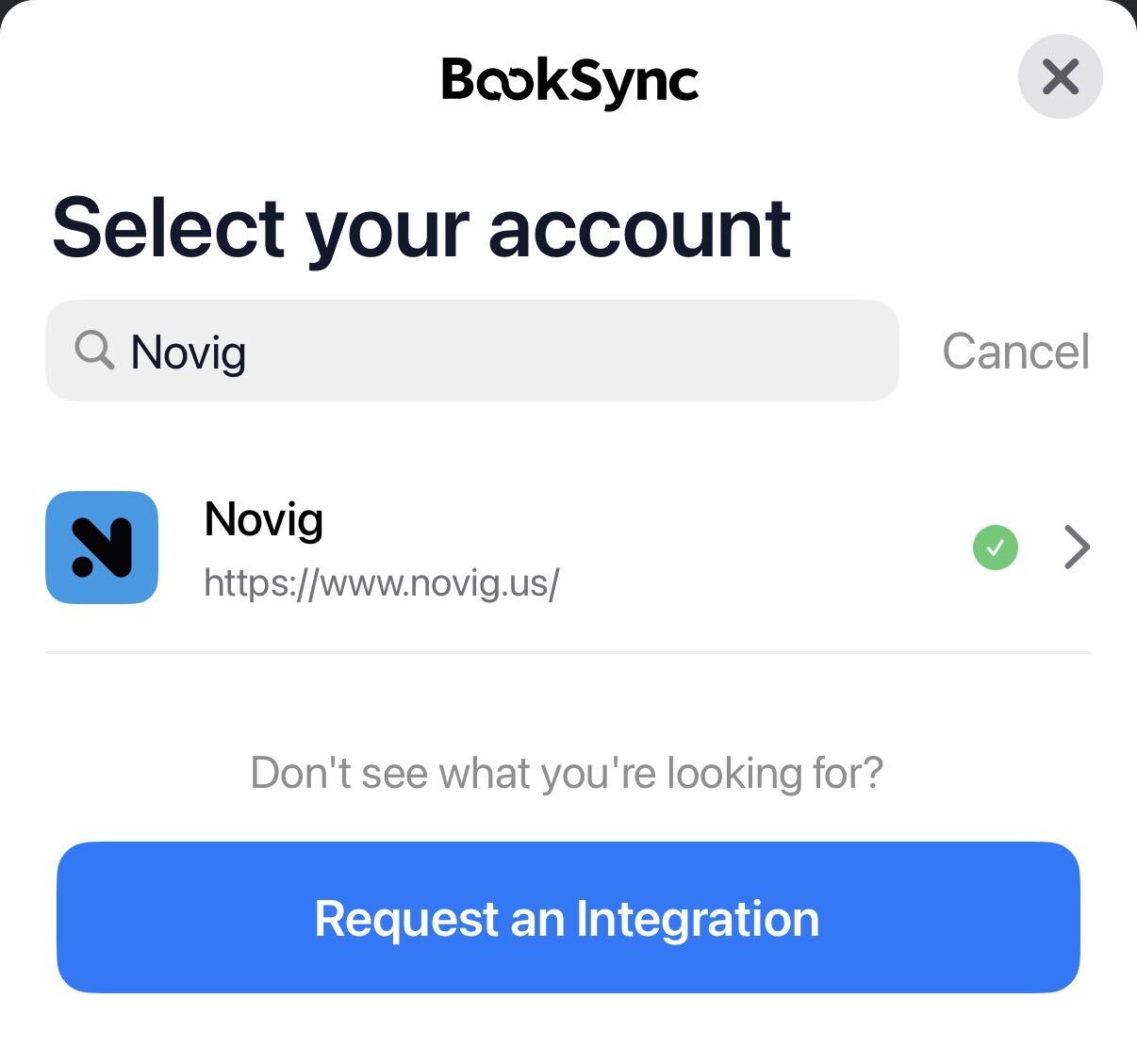
Tap "Manage" or the "+" icon and search for "Novig." It lives under the Prediction Markets category alongside Kalshi, ProphetX, and Sporttrade, separate from the traditional sportsbook list.
Enter the same username and password you use on Novig's site or app. Your login is encrypted, and your data is never sold.
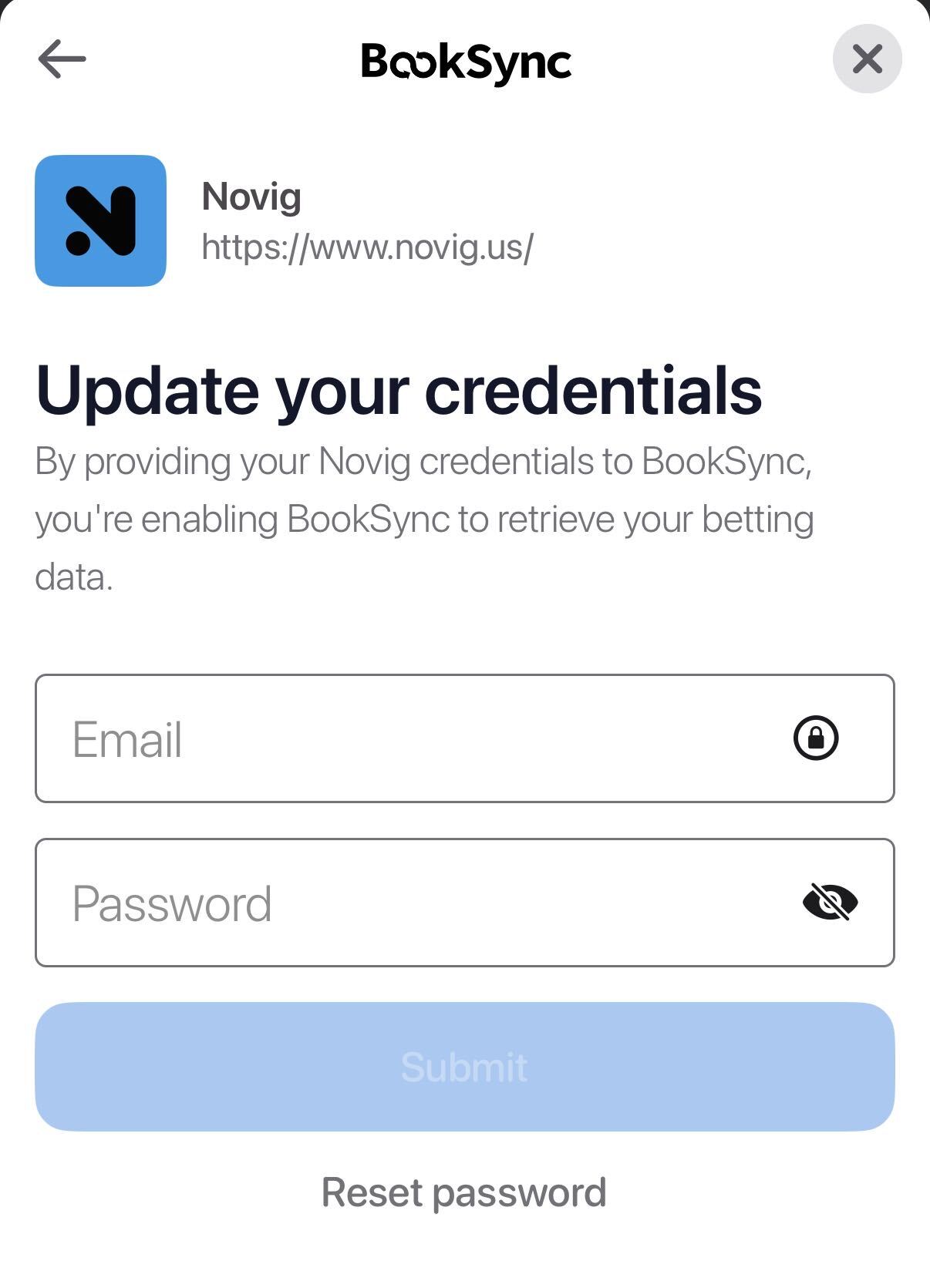
If Novig asks you to re-confirm identity details or complete a login challenge, finish that step the same way you would signing in directly. This is a Novig-side check, not something Pikkit adds.
Once authenticated, BookSync pulls your full Novig trade history. For a newer account with a handful of trades, this takes 20 to 30 seconds. For an account with a long trading history, it can take a few minutes.
Keep the Pikkit app open during the initial sync. Closing the app pauses the import. A confirmation banner shows when the sync finishes and how many trades imported.
Open your Pikkit bet history and filter by sportsbook to Novig. You should see your recent trades with the correct stake, price, and settlement status. If something looks off, pull-to-refresh once before checking the troubleshooting section below.
Knowing what BookSync pulls from Novig, and what it does not, saves confusion later.
Syncs:
Matched back and lay trades, settled and open
Trades placed on sports markets
Trades placed on the Novig app or the Novig website
Your Novig account balance
Doesn't sync:
Unmatched orders sitting in the order book that no other user has taken yet
Deposit and withdrawal history
If a trade shows on Novig but not in Pikkit after a refresh, it is almost always a sync-window issue or an order that has not matched yet, not a category exclusion.
A few situations come up often enough with exchange accounts to flag.
Identity verification. Because Novig is a CFTC-regulated exchange, new accounts go through an identity check before trading. That verification happens entirely on Novig's side. BookSync only reads trade history once your Novig account is active and trading.
Trade credits from the welcome offer. If you claimed the Deposit $10, Get $25 offer with code PIKKIT, trades funded by those credits sync the same way as trades funded by cash. They appear in your Pikkit history alongside everything else, which is the point: your tracked return reflects what the promo actually converted into.
Unmatched vs matched orders. If you post a back or lay order that no other user has taken yet, it stays in Novig's order book and will not show in Pikkit until it is matched. Once matched, it syncs as an open trade like any other.
App vs web. All trades are stored in your Novig account regardless of where they were placed. Trades made through the website sync the same way as trades made in the app.
Excluded states. Novig does not currently operate in Arizona, Nevada, or Michigan. If you are not seeing Novig as an option, that is a Novig availability question rather than a Pikkit one.
The most common Novig-specific issues and how to fix them.
"Authentication failed." Usually a wrong username or password, or a recent login flag on Novig. Log into Novig directly to confirm your credentials, then retry in Pikkit.
Verification pending. Novig's identity check has not finished processing yet. Complete or check the status of verification in the Novig app, then retry the sync.
Recent trade missing. The sync has not run since you placed the trade, or the order is still unmatched. Open Pikkit and pull to refresh. If the trade was unmatched, wait until it matches on Novig.
Novig sync dropped. Your password changed, or a session-security flag was raised on Novig's side. Remove Novig from BookSync, then re-add it and sign in again.
Historical trade shows the wrong stake. The order was partially matched rather than fully matched. The next sync reflects the updated matched amount once Novig settles it.
Initial sync stuck. A large trade history plus a backgrounded app. Reopen the app and leave it on the Pikkit screen until the sync completes.
If none of these match what you are seeing, Settings then Help in the Pikkit app routes the issue to support with the right account context attached.
Once your Novig history is in Pikkit, the tracker earns its place alongside your sportsbook accounts.
Your real Novig performance, isolated from everything else. Pikkit splits results by sportsbook, so you can see whether your exchange trading is actually outperforming your sportsbook betting or just feels better because there is no visible vig.
Commission-adjusted context. Novig charges on net winnings only, which means your realized profit already reflects that commission. Tracking it separately from sportsbook results is the only way to know whether the lower-friction pricing is translating into a better bottom line for you.
A complete multi-platform picture. If you are comparing a Novig price against a traditional sportsbook line on the same game, having both accounts synced in one place through BookSync makes that comparison much faster than switching between apps. Pair it with closing line value to see whether the price you took actually beat where the market settled.
The setup only takes a minute. After signing in once and clearing Novig's verification step, every trade you have made lives inside your Pikkit tracker and every new one follows automatically. The next time you want to know whether your exchange trading is beating your sportsbook results, the answer is already there.
If you have not claimed the Novig welcome offer yet, the Novig offers page has the current terms, and the prediction market bonuses page tracks every live offer in the category.
Download Pikkit to sync Novig and start tracking.
The sync step takes under a minute. The initial trade history import takes another 20 seconds to a few minutes depending on how much trading history your account holds. Later syncs run in the background when you open the app.
Yes. BookSync is read-only. Pikkit can see your trades and balance, but it can't place trades, move funds, or change anything in your Novig account. Your login is encrypted, and your data is never sold.
BookSync syncs whatever trade history exists in your Novig account, so the relevant question is whether Novig operates where you are, not whether Pikkit does. Novig is live in roughly 47 states plus Washington DC, with Arizona, Nevada and Michigan the most commonly listed exclusions.
Unmatched orders sit in Novig's order book until another user takes the other side. Pikkit does not show an order until it matches, since an unmatched order is not an active trade yet. Once it is matched, it syncs like any other trade.
Yes. Trades funded by welcome-offer credits import the same way as trades funded by cash, so your tracked Novig return reflects what the promo actually converted into rather than leaving a gap in your history.
Mechanically, yes. BookSync treats Novig like any other synced platform: it reads your trade history and imports it automatically. The underlying product is different, an exchange rather than a bookmaker, which is why Pikkit tracks Novig results separately from your sportsbook results.
The most common causes are a Novig password change or a session-security flag on Novig's side, such as signing in from a new device. Remove Novig from BookSync settings and re-add it with your current credentials to fix it.
Yes. All trades are stored in your Novig account regardless of where they were placed. BookSync sees both app and web trades the same way.
Disclosure: This page features offers from Pikkit's paid partners. Pikkit is compensated for referrals that register or deposit through the links, at no
additional cost to the user.


