.png)


If you bet on more than one sportsbook, you've experienced one of the main inconveniences of being a serious bettor: trying to remember which bets you placed where. Don't even get me started on what odds you got and whether your actual ROI is better or worse than what you think it is. Manual tracking is the most universally skipped, hated, and inaccurate part of the bettor workflow. Pikkit's BookSync solves it.
BookSync connects directly to your sportsbook accounts and pulls in every bet you've ever placed, plus every new bet you place going forward, automatically and without manual entry. Once your sportsbooks are connected, your real performance numbers (ROI, win rate, closing line value, splits by sport and bet type) update automatically every time your bets sync.
This guide walks you through the entire setup. From downloading the app to connecting your first sportsbook to what happens after, plus troubleshooting common issues.
A few things to have ready before you begin:
Your sportsbook account credentials. BookSync logs into your sportsbook accounts directly to pull bet history. You'll need your username and password for each sportsbook you want to connect. If you have two-factor authentication enabled (recommended), have your authentication method ready as well.
The Pikkit app installed. BookSync runs through the Pikkit mobile app on iOS and Android. If you haven't downloaded yet, grab it here.
A confirmed Pikkit account. Sign up with your email and verify the account before connecting books. The verification is a one-time step.
A few minutes per book. Each individual sportsbook connection takes about 30-60 seconds. Connecting four sportsbooks at once takes around three minutes total.
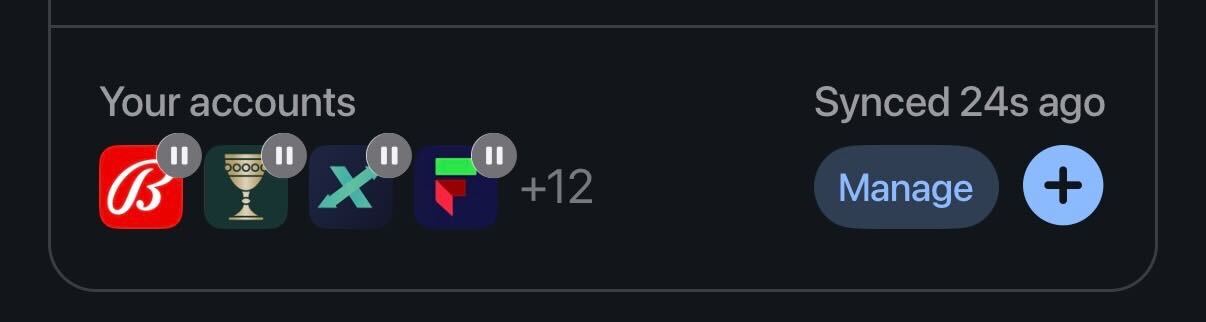
Launch Pikkit and navigate to the summary page (last tab in the bottom right). Your accounts live right at the top of the summary page. If you're a first-time user, Pikkit will prompt you to set up your first sportsbook connection as part of the initial onboarding flow.
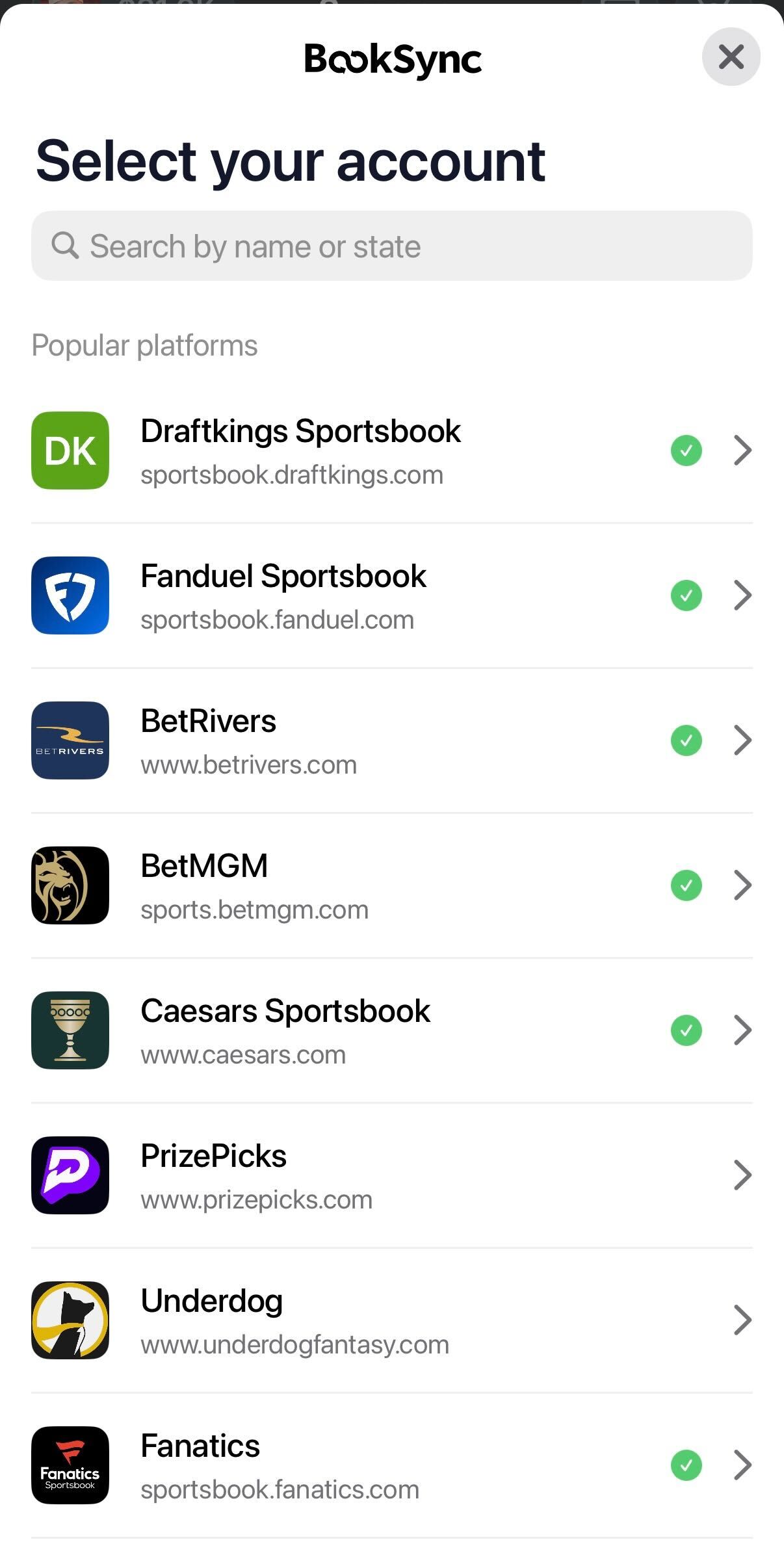
Tap the '+' sign under your accounts. You'll see a list of currently supported sportsbooks, DFS pick'em apps, and prediction markets. For the complete list of integrations, see our supported sportsbooks resource page.
Scroll through the list or use the search bar to find the sportsbook you want to connect. Search by exact name (FanDuel, DraftKings, BetMGM, bet365, etc.) for the fastest result.
Sportsbooks are organized into categories on the Pikkit BookSync screen:
If your sportsbook isn't on the list, request an integration by scrolling to the bottom of the Booksync page and clicking the Request an Integration in the Pikkit app. Our team adds new platforms regularly based on user demand.

Once you select your sportsbook, Pikkit opens a secure connection screen. Enter the username and password you use to log into that sportsbook directly.
If your sportsbook requires two-factor authentication, you'll be prompted to complete the verification step the same way you would when logging into the sportsbook app yourself. This might be a text message code, an authenticator app code, or a biometric prompt (Face ID or Touch ID) depending on your sportsbook's setup.
Important security note: BookSync is read-only, so Pikkit can't place bets or move funds. See "Is BookSync Safe?" below for the details.
After authentication, BookSync pulls your full bet history from your sportsbook. This is the longest step in the process. For most accounts, the first sync takes under a minute. If you have thousands of historical bets, it can take a few minutes.
Keep the Pikkit app open during the initial sync. Closing the app will pause the sync, so leave it open and on the Pikkit screen until the import finishes. You don't have to actively interact with the app, just keep it open.
When the initial sync completes, you'll see a confirmation in the Pikkit app showing how many bets were imported, along with your initial performance dashboard populated with the historical data.
If you bet on multiple sportsbooks (and you should), repeat the process for each one. Most serious bettors connect 4-6 sportsbooks to get a complete picture of their betting activity. The more books you connect, the more complete and accurate your tracker becomes.
You can connect new sportsbooks anytime through the BookSync settings. There's no limit on how many accounts you link.
Once BookSync is set up, the entire tracker runs automatically.
Every new bet you place is logged. Place a bet on DraftKings, FanDuel, or any connected sportsbook, then open Pikkit. The bet syncs within seconds with full detail. Sport, market, odds, stake, legs (for parlays), and current status.
Bet outcomes update automatically. When a bet settles, Pikkit updates the result. Wins, losses, pushes, voids, and partial settlements (for SGPs or live bets) all populate automatically.
Your ROI, win rate, and CLV calculations update automatically. No spreadsheet maintenance. No manual entry. Your numbers reflect what's actually happening in your accounts.
Slice your data by sport, sportsbook, bet type, and time period. See exactly where your edge is (and isn't). Bettors are often surprised to discover their NBA prop ROI is 8% while their NFL parlay ROI is -22%. Without tracking, those insights don't exist.
Autofill activates. With your sportsbooks connected, you can autofill bets directly from Pikkit to your sportsbook apps in one tap. No rebuilding bets manually.
Copy Bets activates. Copy any bet from a followed bettor or the Discover feed to your Pikkit betslip, then autofill to your sportsbook.
You can disconnect any linked sportsbook in seconds. In the Pikkit app, go to the Summary page, find the Your Accounts section, select manage, then select the sportsbook you want to disconnect, and confirm.
Disconnecting stops new bet syncing from that account. Your historical bet data stays in your tracker permanently, so you don't lose any record of past bets when you disconnect.
You can also reconnect a previously disconnected sportsbook at any time. The reconnection process is the same as the initial connection.
Yes. BookSync is read-only. Pikkit can see your bets and balance, but it can't place bets, move funds, or change anything in your account. Your login is encrypted, and your data is never sold.
Read-only access. Pikkit reads your bet history and balance. It has no permission to place bets, deposit, withdraw, or change your account settings.
See your balance, not touch it. Pikkit shows the balance from each synced book so you can see your total in one place. You can't move or change that balance from Pikkit.
Remove a book anytime. You can remove or re-sync any book from Settings whenever you want.
A few problems users hit occasionally during setup, and how to resolve them.
This usually means your username or password was entered incorrectly. Confirm credentials by logging into the sportsbook's own app or website directly. If you can log into the sportsbook directly but BookSync still rejects the credentials, try connecting again from the Pikkit app, as the sportsbook may have temporarily flagged the login attempt.
Make sure you're completing the 2FA step on the correct device. Some sportsbooks send the code via SMS to the phone number on file. If your phone number recently changed, update it with the sportsbook first, then retry the connection.
If your sportsbook account has years of bet history and thousands of placed bets, the initial sync can take several minutes. Keep the Pikkit app open until it finishes. Backgrounding the app pauses the sync.
Open the Pikkit app and pull down to refresh. New bets sync when you open the app or take certain actions inside it, but a manual refresh will trigger the sync directly. If the bet still doesn't appear after a refresh, contact Pikkit support through Settings → Help Center.
Some sportsbooks disconnect linked third-party services when you change your password or when their security systems detect unusual activity. Re-enter your credentials in BookSync to reconnect.
Pikkit adds new integrations regularly. If your sportsbook isn't supported yet, you can request the integration through the manage accounts part and clicking the request an Integration.
Yes. BookSync is included with every Pikkit account, free and Pro tiers alike. There's no additional fee per sportsbook connected.
There's no limit. Most active bettors connect between 4 and 8 sportsbooks. Some power users connect 10 or more.
Yes. BookSync syncs activity from supported DFS pick'em apps (Underdog, DK Pick 6, Sleeper, PrizePicks, and more) and supported prediction markets (Kalshi, Novig, ProphetX, Sporttrade) the same way it syncs sportsbooks.
No. BookSync uses read-only access. Pikkit never has the ability to place bets, withdraw funds, or modify your sportsbook accounts in any way.
If you delete your Pikkit account, all linked sportsbooks are disconnected and your bet data is removed from Pikkit's systems within 30 days. Your sportsbook accounts themselves are not affected.
Availability: Pikkit works in all 50 US states. Each sportsbook, DFS app, and prediction market has its own state availability.
Request the integration through Manage Accounts → Request an Integration button in the Pikkit app. New integrations are added regularly based on user demand. Pikkit is a sync-based tracker, so we don't offer manual bet entry. The integration request is the fastest path to getting your sportsbook supported.
BookSync syncs your bet history from sportsbooks into Pikkit for tracking. Autofill goes the other direction. It takes a bet you've built in Pikkit and sends it to your sportsbook app for placing. The two features work together. BookSync handles reading, Autofill handles writing.
Connecting your first sportsbook takes about 60 seconds. After that, you stop guessing whether your betting is profitable and start knowing exactly where you stand.
Download Pikkit and connect your first sportsbook today.
For the complete list of supported sportsbooks, DFS pick'em apps, and prediction markets, see our supported sportsbooks resource page. If your book isn't on the list yet, request an integration through the app and our team will add it to the roadmap.


